
Webhooks Are Most Useful When They Carry a Decision, Not Just a Chat Transcript
A chat widget can collect a useful contact detail at exactly the moment someone is ready to share it. The operational problem starts one second later: who sees that lead, where does it go, and how do you know the receiving system can trust it?
Teams often answer that question by forwarding everything. Every chat message becomes an event. Every typing pause becomes a record. Soon an automation board is full of low-signal noise, and the one person who submitted a phone number after asking about implementation gets buried beside dozens of casual questions.
A cleaner boundary is the lead capture itself.
Treat lead capture as an operational event
A lead-capture form in chat is not merely a form with a different visual treatment. It is a deliberate moment in a conversation: the visitor has seen enough context to exchange their details for a next step.
That moment is a sensible place to notify another system. It has a clear business meaning, and it can include the information your team collected in the chat rather than forcing someone to copy it out later.
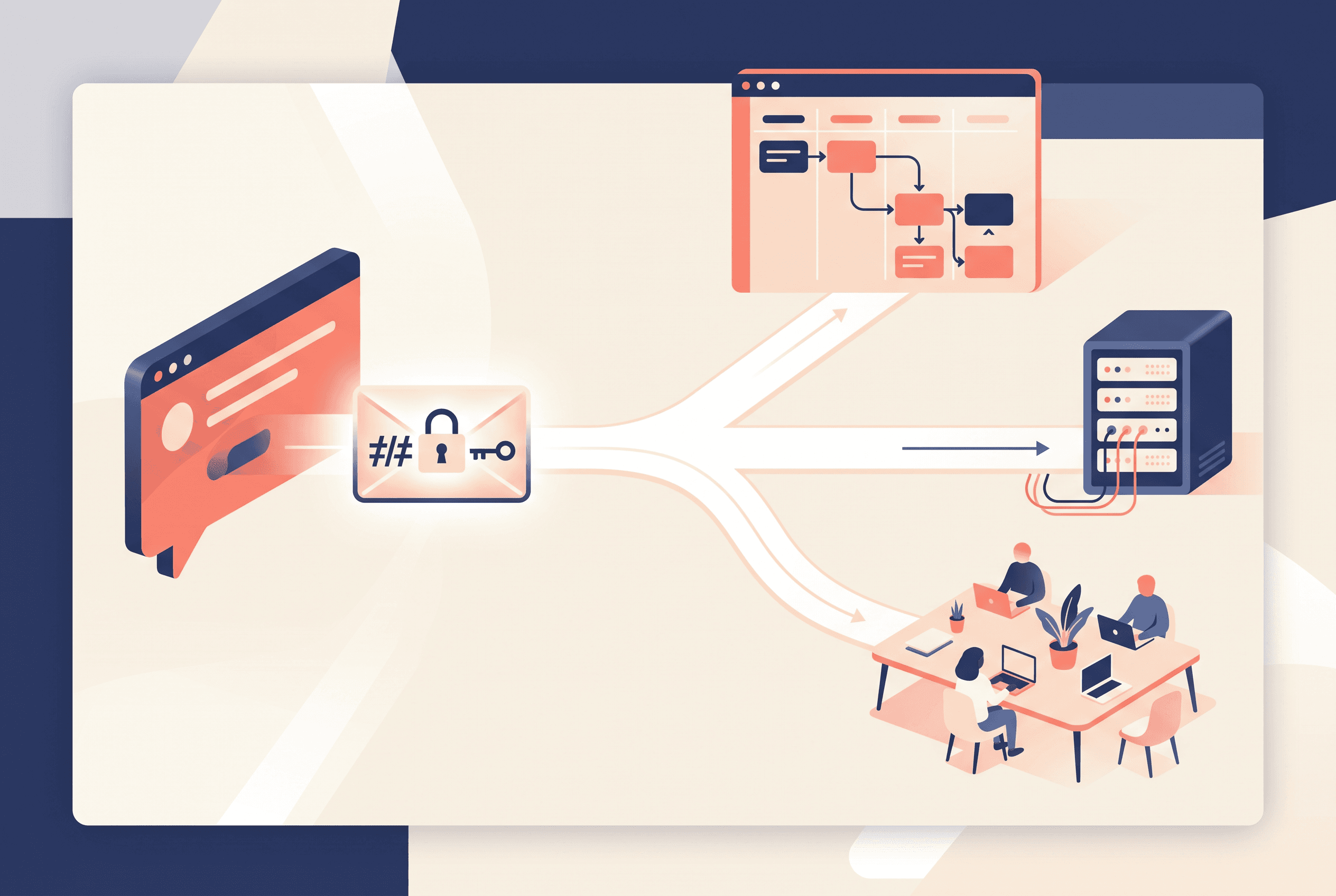
Owni.chat can send an HMAC-signed webhook when a lead is captured. You provide an HTTPS endpoint, and the destination can be Zapier, Make, or a custom backend. This lets a chat flow hand off the captured lead to the process your team already uses, while the original conversation remains available in the shared inbox. The condition is straightforward: the webhook is for captured leads, so do not design a workflow that assumes it will fire for every conversation start, close, or human-handoff request.
That distinction matters more than it sounds. A conversation beginning is often just curiosity. A lead form submission is a visitor actively giving you data to act on.
Build the chat flow before the automation
The webhook only becomes useful when the flow collects the right fields.
A common mistake is to ask for name, company, job title, phone number, budget, timeline, and a detailed brief before answering a basic question. That is not qualification; it is friction. The visitor came to chat because they wanted a faster path than a long contact form.
Start with the decision your receiving team needs to make. For example:
- A service business may need a name, email, and a short description of the request.
- A sales team that calls prospects may need a phone number, but should make that field feel justified.
- A support-to-sales path may only need an email after the visitor asks for a follow-up.
The visual flow builder can place messages, button choices, lead-capture forms, and human handoff in the same chat journey. Names, emails, and phone numbers can be collected inside the widget. A visitor might choose “Talk to sales,” answer one qualifying question, and then see a compact form rather than an abrupt full-page redirect.
Before connecting an endpoint, inspect the funnel itself. Per-flow analytics show views, clicks, submits, and completions. If many people view a flow but few submit, the issue may be the offer or the number of fields—not your automation.
Verify the sender before you trust the data
An HTTPS endpoint being public enough to receive requests does not mean every request reaching it is legitimate.
That is where the per-project HMAC signature matters. The webhook is signed, allowing your server to verify that a request genuinely came from the project that sent it. In practical terms, your endpoint should verify the signature before it creates a record, not after it has already triggered downstream actions.
A safe receiver usually follows a small set of rules:
- Accept requests only over HTTPS.
- Read the incoming request in the form required for signature verification.
- Verify the HMAC signature using the project’s secret on the server.
- Reject requests that do not verify.
- Only then pass the lead into your internal workflow.
Keep the verification secret out of browser code. Credentials used for integrations are encrypted at rest and used server-side only; your own receiver should follow the same principle. A secret placed in a front-end script is no longer a meaningful verifier because anyone visiting the site can inspect it.
This is especially relevant when a captured phone number triggers a human task. Without verification, a forged request could create fake follow-ups, distort reporting, or consume a salesperson’s time. The cost is not dramatic infrastructure work; it is usually a small verification step in the endpoint you already control.
Choose the destination based on who owns the next action
Zapier and Make are useful when the person maintaining the process is closer to operations than engineering. They can receive the lead webhook and route it into an existing workflow without requiring a custom service for every adjustment.
A custom backend is better when lead handling needs logic that should live beside your product or internal systems: deduplication rules, account matching, a private notification service, or a queue that your team monitors. The webhook gives that backend a clean event boundary.
Be precise about what the chat platform does and does not own. It sends the captured lead event to your endpoint. Your destination is responsible for what happens next: creating a record, alerting a teammate, checking for duplicates, or connecting to another system.
If your team uses a tool not listed as a direct destination, avoid assuming a native integration exists. An HTTPS receiver you control can be the bridge, provided it verifies the signature and handles the incoming data safely.
Keep the conversation with the people who need it
An automation is not a replacement for the chat inbox.
The shared inbox keeps conversations from every site in one place, with assignment, open/pending/closed statuses, search, full history, and an audit log. That is where an operator can read the exchange, see what the visitor actually asked, and decide whether the captured lead needs a reply now or later.
The external webhook should support that work, not split it into two conflicting sources of truth. A practical split is simple:
- The inbox is where people handle the conversation.
- The lead webhook is where your wider business process is notified.
- Flow analytics are where you check whether the capture point is earning its place.
For a small team, the first version may be modest: one chat flow, one email field, one signed webhook, and one receiving workflow that alerts the responsible person. That is often more reliable than trying to automate every possible chat state from day one.
Test the failure cases before publishing the flow
Run a real submission through the live widget before relying on it. Confirm the lead appears in the inbox, confirm the endpoint receives it, and confirm an invalid signature is rejected by your receiver.
Then test the mundane cases: a visitor enters an incomplete email, submits twice, or abandons the form after opening it. The funnel figures—views, clicks, submits, and completions—will help separate a weak conversion point from a broken delivery path.
The useful question is not “How many chat events can we send?” It is “Which moment deserves an immediate, verified action?” For most teams, that moment is the form submission where a visitor has chosen to become a lead.
FAQ
Owni.chat provides HMAC-signed webhooks for captured leads. Do not assume that conversation starts, conversation closes, or human-handoff requests are sent as webhook events.
Yes. Captured-lead webhooks work with Zapier, Make, or a custom backend that can receive an HTTPS request.
The signature lets your server verify that the request genuinely came from your project before it processes the lead data. Verification should happen server-side.
Yes. Lead-capture forms in the visual flow builder can collect names, emails, and phone numbers inside the chat. A webhook is sent when the lead is captured.
Use per-flow funnel analytics to review views, clicks, submits, and completions, then test a real submission through the live widget and verify that your receiving endpoint accepts the signed request.


