
Designing Website Chat Intake Questions That Route Pricing, Technical, and Account Requests Without Making Visitors Fill Out a Form
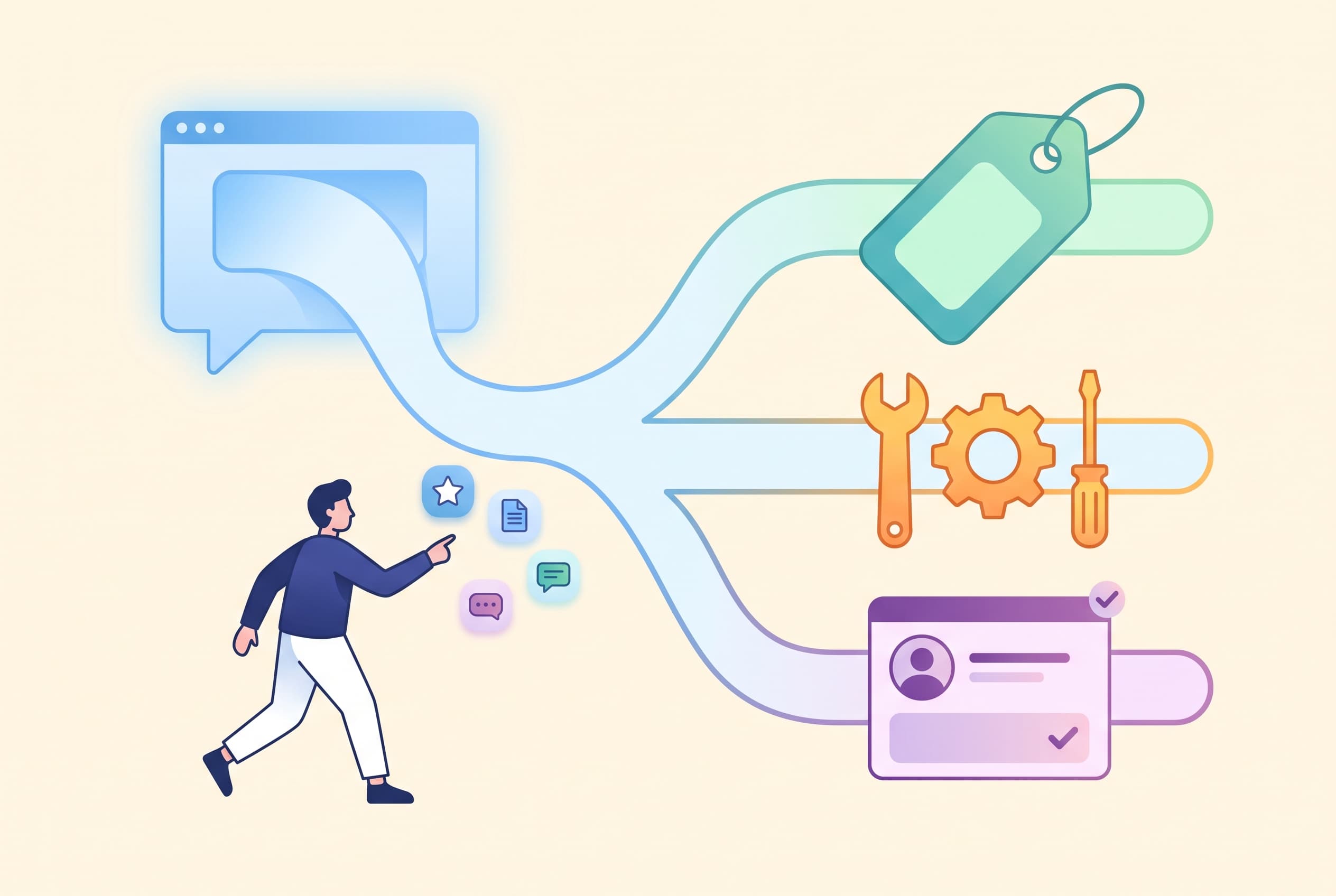
A visitor opens chat because they want momentum, not paperwork.
Yet plenty of chat widgets greet people with the conversational equivalent of a 12-field contact form: name, company, email, phone, department, budget, message. The visitor has not even asked their question, and already the interaction feels like a gate. A useful AI chat welcome message gives them a clearer first move.
The better pattern is a short intake that earns each question. It should identify the kind of help someone needs, send them toward a useful next response, and ask for personal details only when a human follow-up or a quote genuinely requires them. That starts with the right welcome question, not a request for contact details.
For most business websites, three starting routes cover a surprising amount of traffic:
- Pricing and buying questions
- Technical or product questions
- Account and existing-customer requests
The labels matter less than the mental sorting they create. A visitor should be able to choose one in a second, without decoding internal team language such as “commercial,” “implementation,” or “customer success.”
Start with intent, not identity
The first question should be easy to answer without exposing anything personal:
What can we help with?
- Pricing or choosing a plan
- A technical question
- Help with my account
This does two useful things. It gives the visitor a visible shortcut, and it gives the team an initial routing signal before anyone starts typing a long explanation.
It also avoids the false precision of asking people to classify themselves too deeply. “Are you a trial user, paid customer, enterprise prospect, agency partner, or other?” may help reporting, but it is rarely the visitor’s natural first thought. Ask that only if it changes what happens next.
A visual chat flow can present those choices as buttons, then branch into different messages, lead-capture forms, or human handoff. In Owni, button choices and quick-start buttons can trigger a no-code flow, while keyword and regex triggers can catch people who skip the buttons and type “invoice,” “error,” or “pricing” directly. That second path matters: visitors often ignore the tidy options and write the thing that is bothering them.
Give pricing visitors a useful fork
“Pricing” is not one request. Someone may be checking a public plan, estimating cost for a team, or trying to understand whether a feature is included. Treating all three as “talk to sales” creates unnecessary work for both sides.
A compact pricing branch might ask:
Are you looking for:
- A quick plan comparison
- Help choosing the right setup
- A quote for a larger team
The first option should answer immediately if the information is already available. The second can invite one plain-language question: “What are you hoping to do?” The third is the point where a contact detail may be justified, because a person may need to continue the conversation later.
Notice what is missing: annual budget, company size, phone number, and purchase timeline. Those are useful sales qualifiers only after the visitor sees enough value to continue. Asking them upfront turns chat into a disguised lead form.
If you do need a follow-up channel, explain why in the question itself:
Want a tailored answer from our team? Leave your email and the number of people who will use it.
That phrasing gives context and limits the request. A name and email may be enough; a phone number should not be a default field simply because the form supports it.
Let technical visitors describe the problem in their own words
Technical questions often arrive with vocabulary that does not fit a neat menu. A visitor may say “the install is broken,” when the real issue is a domain setting, a script placement, a browser-specific behavior, or confusion about configuration.
Use a small fork, then an open prompt:
Is this about:
- Setting up
- Something not working
- How a feature works
Tell us what you expected and what happened instead.
That last line is doing more work than “Describe your issue.” It prompts the two pieces of context a support person usually needs, without asking the visitor to know technical terminology.
Avoid asking for screenshots before someone has stated the issue. It increases effort and can make a simple question feel like a bug report. Ask for an attachment only when it would help clarify the next step. A shared inbox that accepts image, video, and PDF attachments can support that escalation when needed, but the conversation should not begin there.
For questions covered by documentation, an AI assistant can answer from the site’s own imported knowledge and link to the exact source page. That works best when the knowledge base contains practical setup instructions, limits, and troubleshooting notes—not just broad marketing pages. If the answer is not in the source material, an honest “I don’t know” followed by human handoff is better than a confident guess.
Treat account requests as a routing category, not an interrogation
“Help with my account” is usually an umbrella for several different needs: changing something, finding a receipt, resolving access confusion, or asking about an existing service.
Do not respond by requesting every identifier you can think of. Start with a short choice:
What do you need help with?
- Access or sign-in
- Billing or payment
- Changing my account
- Something else
Then ask for the minimum context needed for the team to pick it up. For example:
Briefly describe what you need help with. Please do not send passwords or other sensitive login details in chat.
That instruction is not just legal caution. It makes the interaction calmer. Visitors do not need to wonder whether they are expected to paste something they should keep private.
If a request requires verification, the chat flow should route it to the appropriate human process rather than pretending the chat itself can resolve identity. The useful job of intake is to label the request, retain the conversation history, and make the handoff less repetitive.
Build for people who refuse the menu
Every intake flow needs an escape hatch.
Some visitors will type a full paragraph immediately. Others will select “Something else.” A few will choose the wrong category because they are frustrated or unsure. The flow should not punish them by looping back to the opening menu.
Use an open-text path with a clear promise:
Tell us what you are trying to do, and we’ll point you in the right direction.
Then use routing cues in the message where appropriate. Terms such as “pricing,” “quote,” “API,” “error,” “invoice,” or “login” can trigger different paths, but they should supplement human-readable buttons rather than replace them. Keyword matching is useful for speed; it is not a substitute for understanding a messy explanation.
A hybrid chat setup is practical here: straightforward questions can receive an immediate answer from the knowledge base, while harder cases move to the team inbox for a person. Keep the handoff message specific—“I’m sending this to the technical team” is better than “An agent will be with you shortly”—because it confirms that the visitor’s category was understood.
Measure friction, not just submissions
The danger with chat intake is celebrating the wrong number. A long form may produce more neatly completed records while causing more people to leave before explaining why they came.
Track the sequence instead:
- How many people see the opening choices
- Which route they select
- Where they abandon the flow
- How often a route ends in a lead submission or completed handoff
Per-flow views, clicks, submits, and completions reveal where a question is too early or too demanding. If the pricing branch gets many clicks but few follow-up details, try answering one common question before showing the email field. If technical visitors repeatedly choose “Something else,” your labels probably reflect the team’s structure rather than the visitor’s problem.
The practical test is simple: after the first two chat interactions, can a visitor either get a useful answer or reach the right person without repeating themselves? If not, remove a question before adding another field.
FAQ
Usually one category choice and one follow-up question are enough to begin. Add a contact field only when a human needs to continue the conversation later or when the visitor explicitly asks for a quote or follow-up.
No. Use a pricing branch to separate quick plan-comparison questions from requests that need a tailored recommendation or quote. The first group may be answerable immediately; the second may need a human follow-up.
Start with a broad category such as setup, something not working, or how a feature works. Then ask what the visitor expected and what happened instead. Request an image, video, or PDF attachment only when it will help clarify the issue.
Route the request by topic first, such as access, billing, or account changes. Ask only for the context needed to direct the conversation, and tell visitors not to send passwords or sensitive login details in chat.


